
Introducing Viral Spectre: The AI Clipping Tool for Premiere Pro
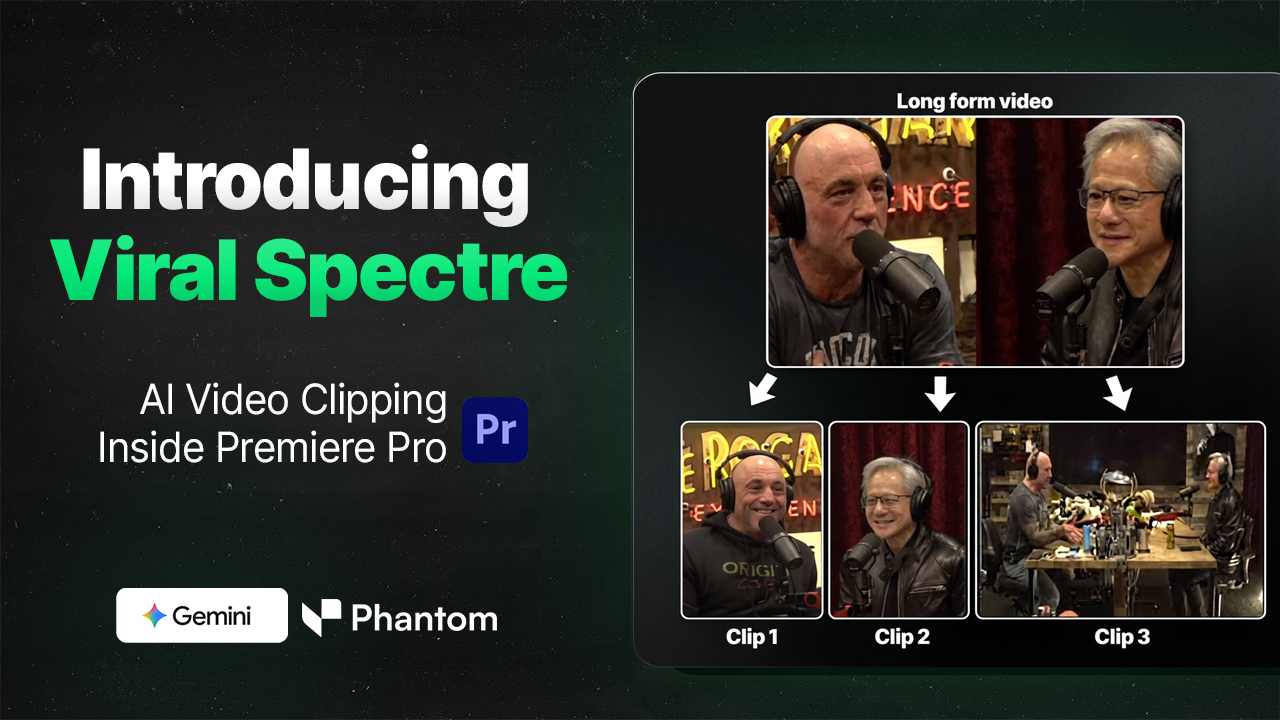
Meet Viral Spectre: Your New AI Assistant for Short-Form Content
Viral Spectre is an AI-powered clipping tool inside the Phantom Editor plugin that automatically finds viral‑potential moments in your long‑form videos and turns them into Shorts, Reels, TikToks, and YouTube clips directly in Premiere Pro. Instead of exporting timelines to external tools like Opus Clips, everything happens inside your existing project so you keep full control over sequences, effects, and exports.
Why Viral Spectre Exists
Editors creating short‑form content from podcasts, talking‑head videos, and long YouTube uploads typically have to manually scrub timelines or round‑trip footage through separate clipping apps. Viral Spectre removes that friction by using Gemini-based AI to scan your source video, find high‑impact segments that match your criteria, and lay them out as ready‑to-export clips inside Premiere Pro.
How Viral Spectre Works
Viral Spectre lives in the Phantom Editor panel and works on top of your existing sequences or source files, using an AI pipeline that first exports audio, then analyzes it to detect the best segments. Once analysis is done, the tool presents a list of suggested clips with timestamps, durations, and transcripts so you can quickly review, tweak, and approve them.
Powerful Features for Pro Editors
Input Controls For Better Clips
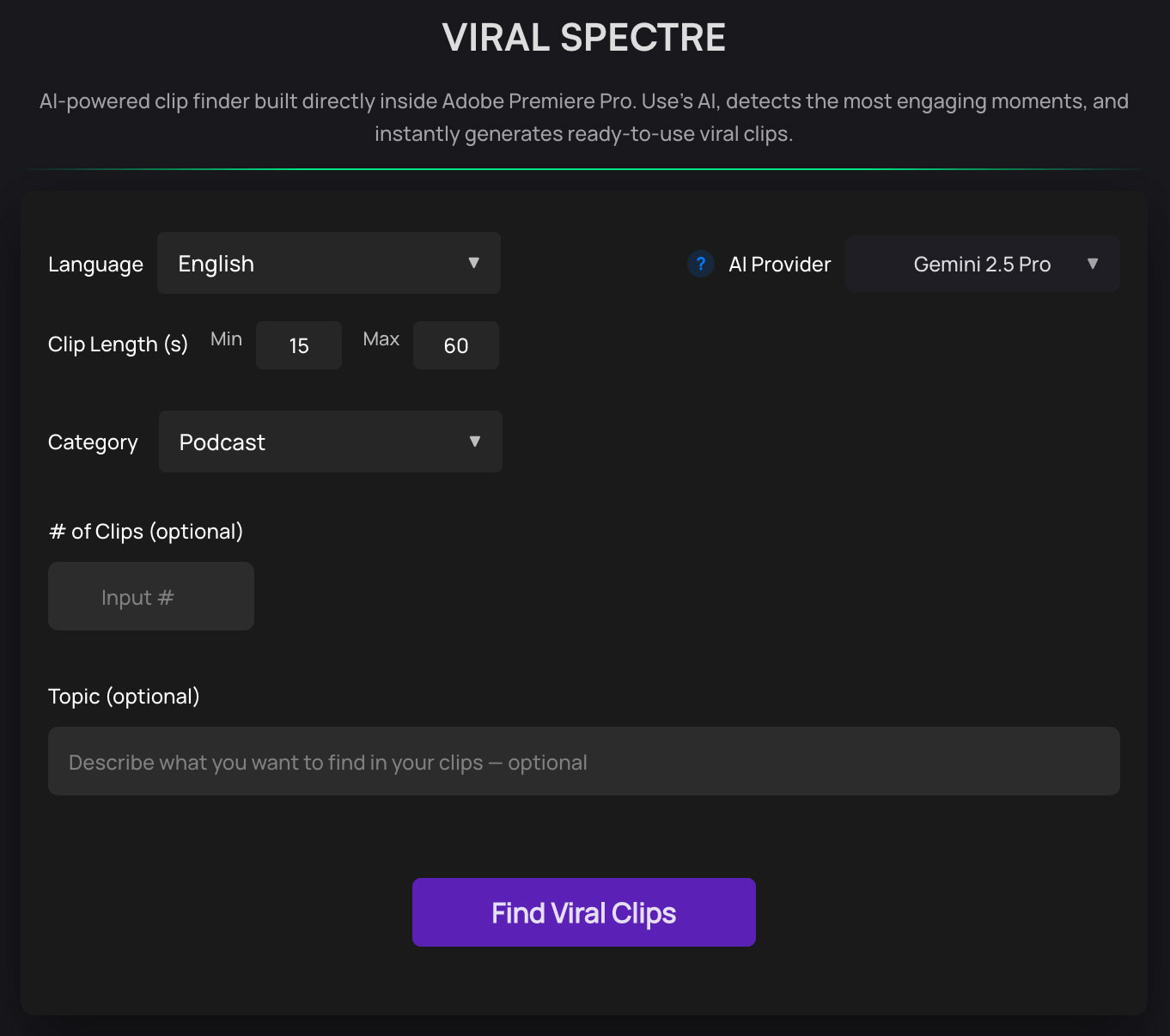
The Input Settings let you guide the AI toward the kind of clips you want, so results feel intentional instead of random. You can configure things like target clip length, number of clips, and language or content focus, which is especially useful for multi‑language podcasts and niche topics.
Flexible Output Settings
In the Output Settings, you decide where clips are stored, how they are framed, and how they integrate into your existing workflow. You can set an output folder, choose frame sizes suitable for vertical platforms, and let Viral Spectre automatically create sequences and media that match your project settings.
Clip Review Panel And Controls
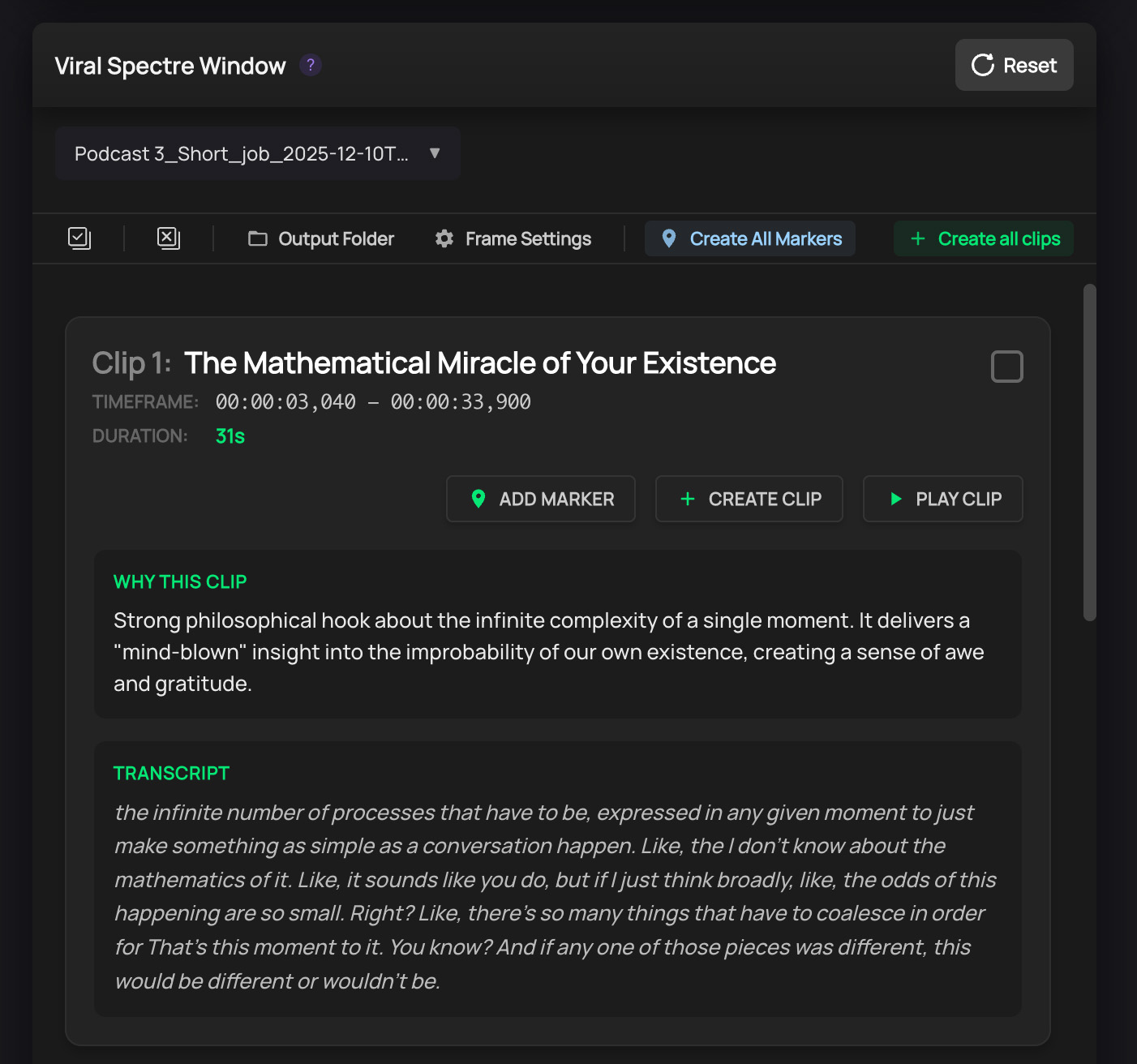
Once AI analysis is complete, Viral Spectre shows all candidate clips in a dedicated list where each item includes a transcript and direct navigation back to that moment in your source. From there, you can select or deselect clips, bulk‑select everything, play individual segments, and decide which ones move forward to the creation step.
One‑Click Clip Creation
After selecting your favorite moments, you can generate all the clips at once or one by one using the Create Clip button. Viral Spectre then builds the clips into your chosen folder with the proper frame size and duration, so they are immediately ready for platform‑specific tweaks, overlays, and exports.
Global Language Support
Works with over 31 different languages (with more support coming in the future), making it accessible to creators worldwide.
Supported Languages:
- English: English (US, UK, etc.)
- Western Europe: Spanish (Castilian, Latin American), French (France, Canada), Portuguese (Portugal, Brazil), German, Dutch, Flemish (Belgium), Swiss German, Italian, Catalan
- Northern & Eastern Europe: Russian, Polish, Ukrainian, Bulgarian, Czech, Slovak, Romanian, Greek, Hungarian, Finnish, Swedish, Danish, Norwegian, Lithuanian, Latvian, Estonian
- Asia: Hindi, Japanese, Korean, Vietnamese, Indonesian, Malay, Turkish
Built For Real‑World Content
The tool is designed around real‑world use cases like long podcasts and YouTube videos, including examples in English and Hindi to demonstrate multilingual handling. This makes it particularly valuable for editors working with international creators, brands, and multi‑language channels that need a steady stream of short‑form content.
Part Of The Phantom Editor Ecosystem
Viral Spectre ships as part of the Phantom Editor plugin suite, which also includes tools for multi‑cam editing, AI chapter markers, silence removal, retake removal, and more to speed up modern editing workflows. Together, these tools turn Premiere Pro into a faster, AI‑assisted environment where repetitive tasks are automated and editors can focus on storytelling and creative decisions.
How to Get Viral Spectre
Viral Spectre is part of the Phantom Plugin suite. If you are an existing subscriber, simply update to v1.2.8 to start using it today.
Not a user yet?
Start creating viral content faster than ever before.
- Subscribe to Phantom Pro - Choose the plan that fits your needs.
- Download from Dashboard - Get the latest version of the plugin.
- Start Clipping - Open Viral Spectre in Premiere Pro and let AI do the heavy lifting.
Ready to transform your content workflow? Get Phantom Editor today.