Phantom Editor AI Logo

Updates & Changelog

Follow the latest releases, improvements, and fixes across Phantom Editor and its companion tools.

New Tool: Viral Spectre - Phantom Plugin Update: v1.2.8

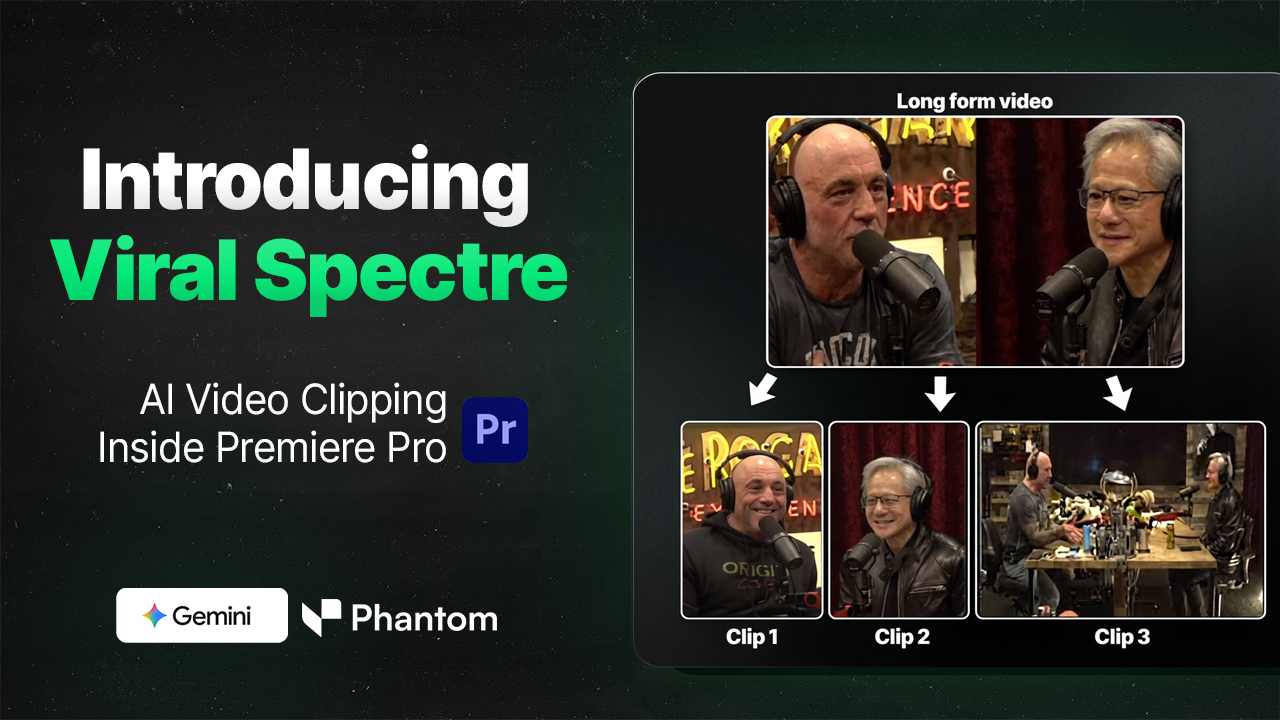
Introducing Viral Spectre - AI-powered clipping tool that automatically finds viral moments, reframes footage, and cuts clips directly in Premiere Pro

Introducing Viral Spectre - AI Clipping Tool for Premiere Pro

TLDR:

  • Version 1.2.8 of Phantom Plugin
  • NEW TOOL ⚒️ : Viral Spectre - AI Clipping tool all within Premiere Pro to find and clip content.
  • Video Downloader: Handles several different video sources (exp. Pinterest)
  • Clip & Reframe: Potential Bug Fixes
  • Login Bugs Potential FixL: Structured Clone Issue

Phantom Plugin Version 1.2.8

✅ New Tool: Viral Spectre

Check out our video about it!

What Does it do?

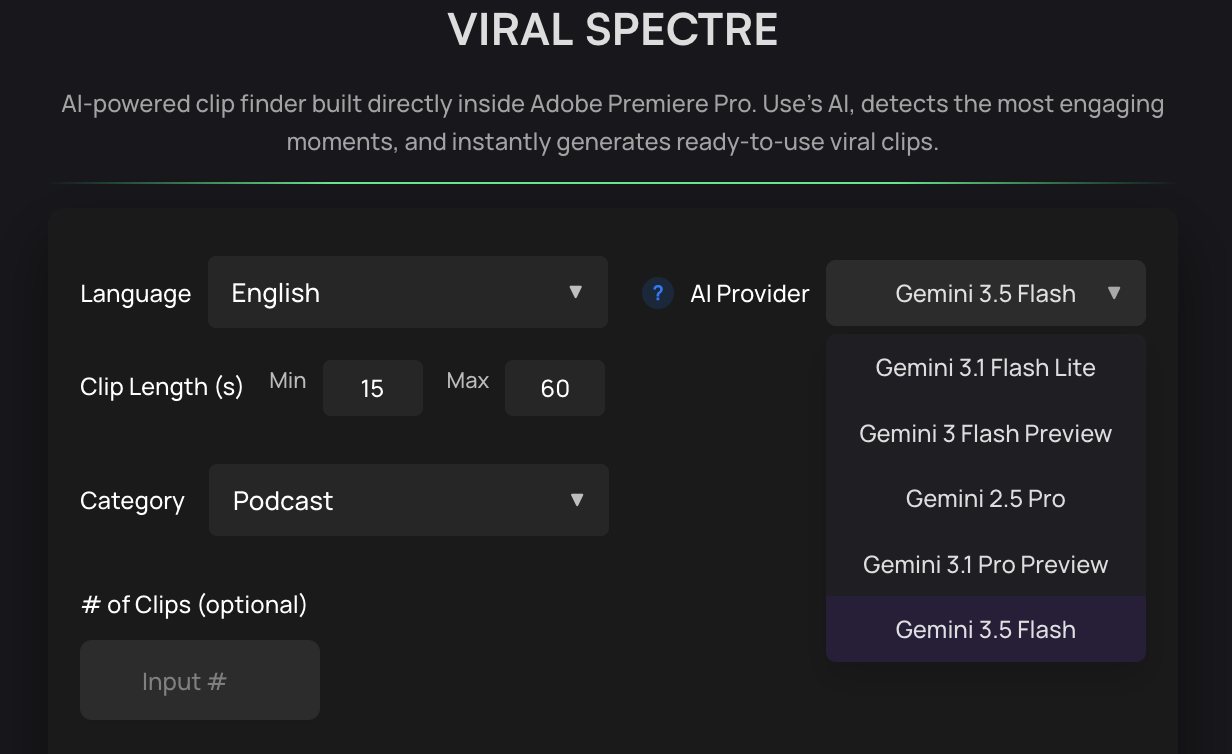
Viral Spectre uses AI to automatically find viral moments, reframe your footage, and cut clips based on your settings. It pulls highlights from your long-form sequence and organizes them into your chosen folder, just like Opus Clips, but built directly inside Premiere Pro.

Viral Spectre - Feature Highlights:

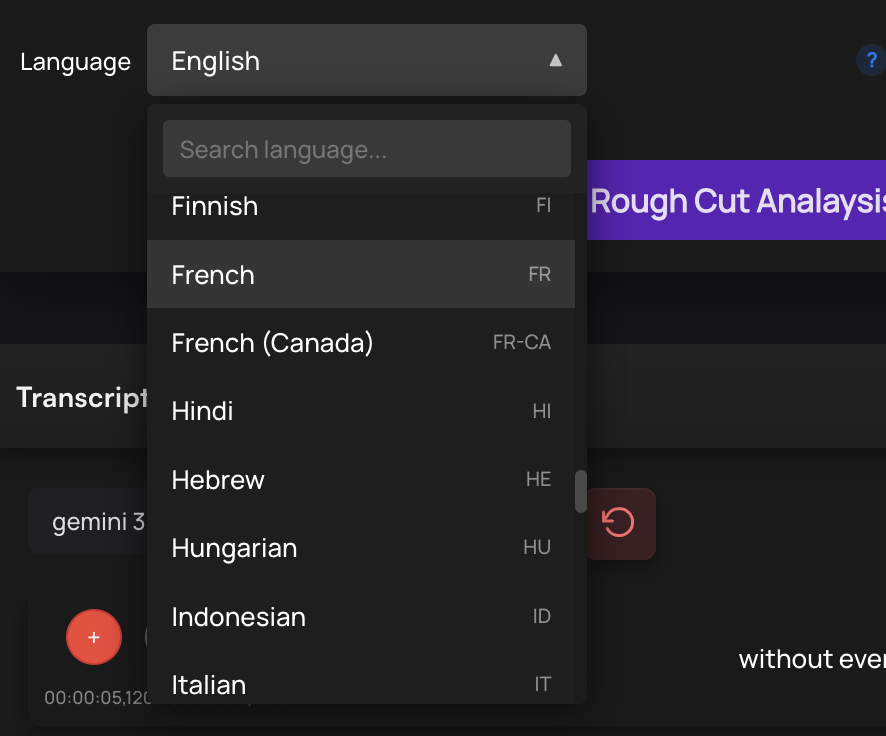
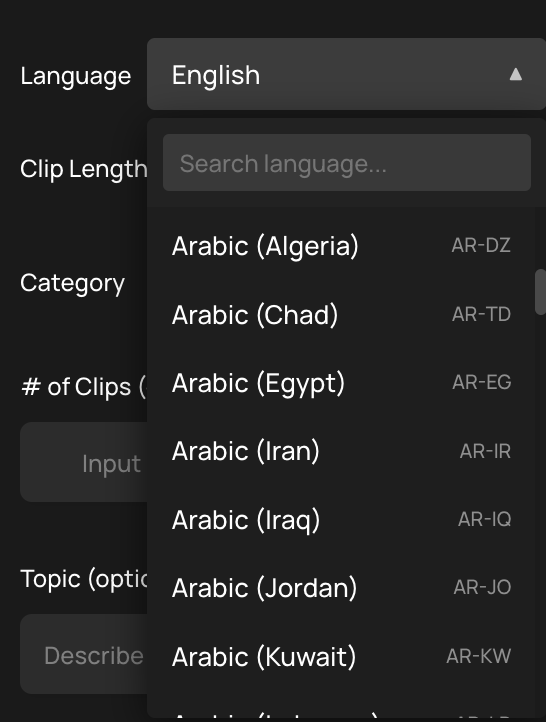
  • ✅ Works with over 30+ different languages (adding more language support in the future)
  • ✅ Uses Gemini 2.5 Pro
  • ✅ Ability to choose your clip lengths (Find Shorts or Clips for youtube)
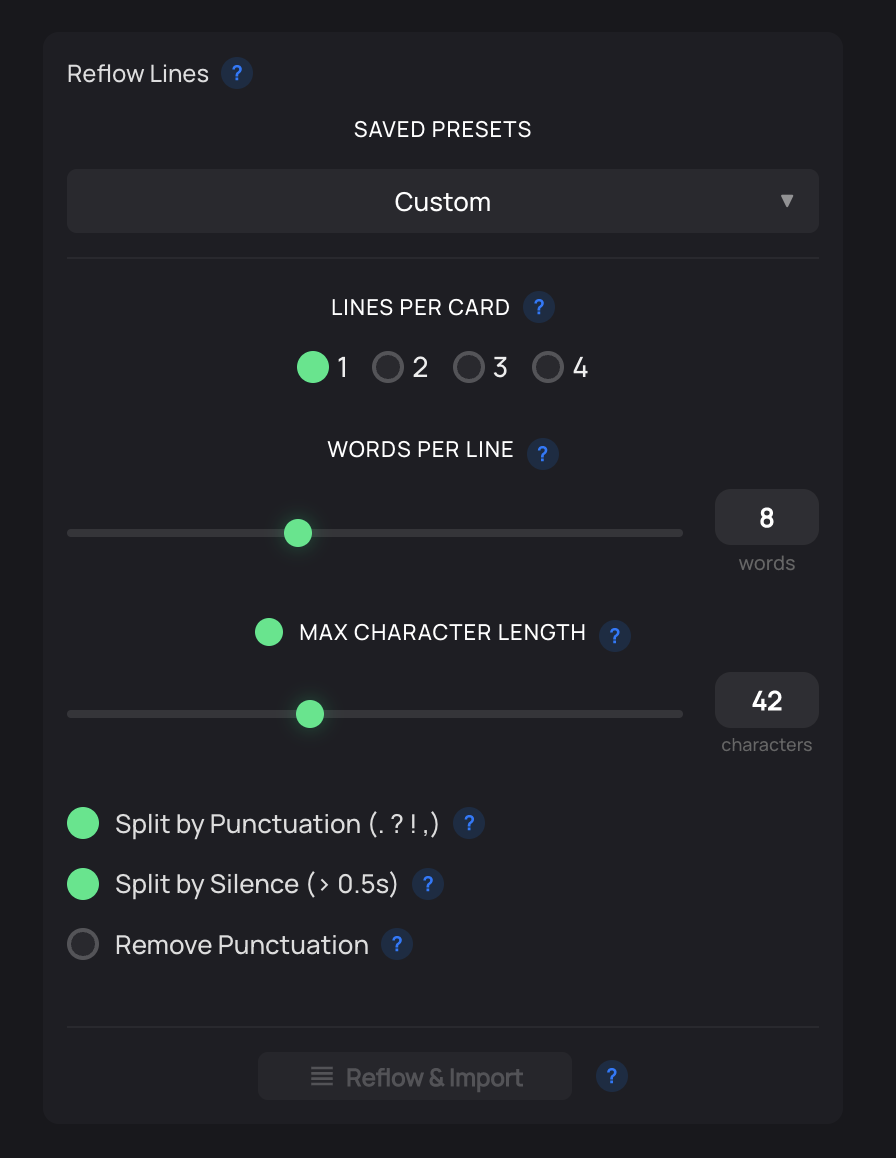
  • ✅ Reframes your sequence based on your custom settings (Exp. 16:9 to 1:1)
  • ✅ Create's titles
  • ✅ Ability to create Sequence Markers of where are all the clips are in the sequence

How to update: Head over to your user dashboard and download the new version!

Updated Wraith & Bug Fixes - Phantom Plugin Update: v1.2.7

Version 1.2.7 Phantom Plugin

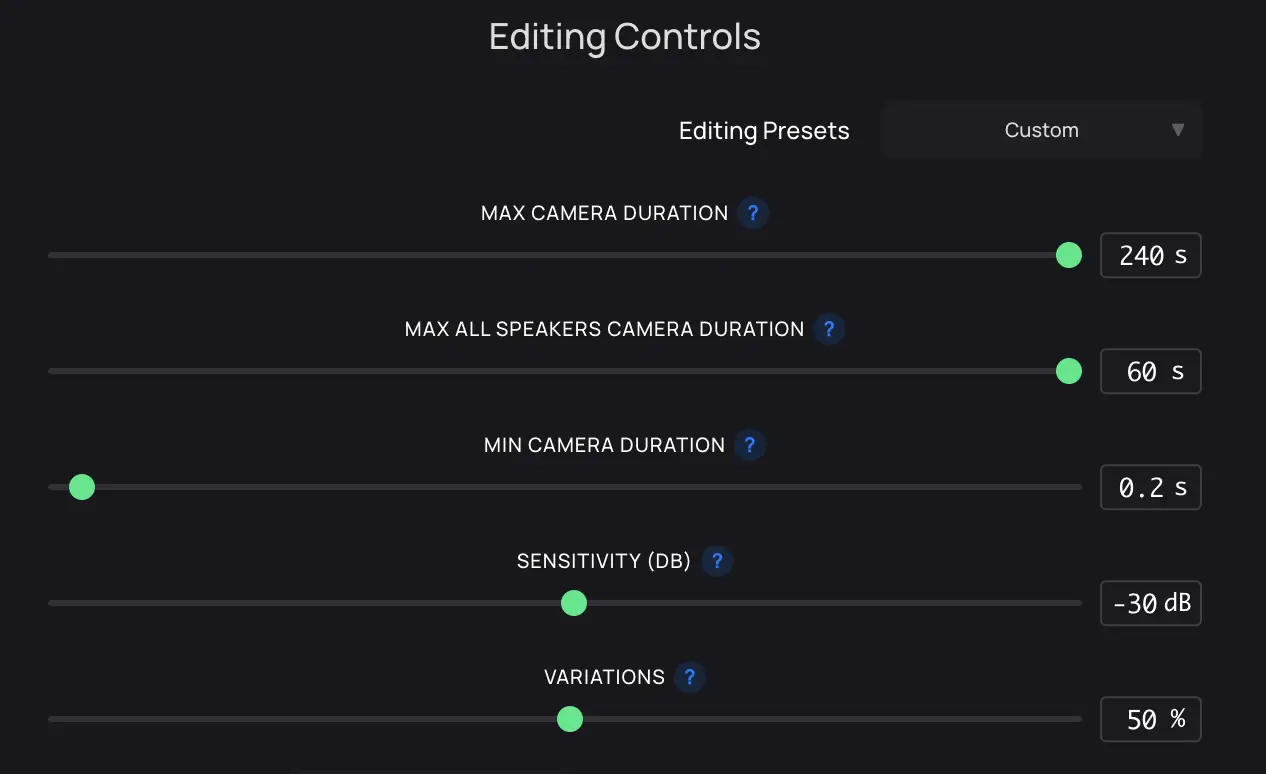
Variation Slider Editing Controls

TLDR:

  • Version 1.2.7 of Phantom Plugin
  • Includes version 1.2.5 of Wraith in the Phantom Plugin
  • Fixed issue where if you're Premiere Pro UI Language wasn't english, AI Repeat Remover hit's an error.

Phantom Plugin Version 1.2.7

✅ What’s new:

😱 Updated Phantom's Wraith Tool to includes version 1.2.5 of Wraith in the Phantom Plugin (see below)

🌎 Fixed issue where if you're Premiere Pro UI Language wasn't english, AI Repeat Remover hit's an error.

How to update: Head over to your user dashboard and download the new version!

Variation Slider - Wriath Multi-Cam Editor Update: v1.2.5

Version 1.2.5 Wraith Multi-Cam Editor

Variation Slider Editing Controls

TLDR:

  • Version 1.2.5 of Wraith Multi-Cam Editor
  • Improved Camera logic
  • Added new 'Variation' Control Slider feature
  • Increased Max Cam Duration → 120s to 240s
  • Fixed issue where if you're Premiere Pro UI Language wasn't english, Wraith hit's an error.

Wraith Multi-Cam Editor Version 1.2.5

✅ What’s new:

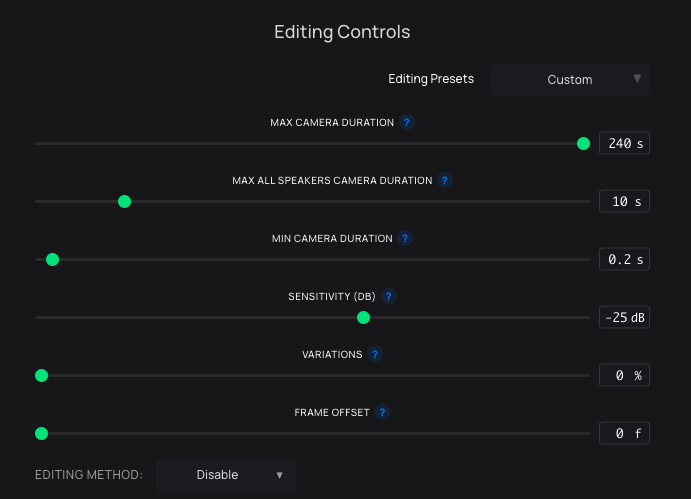
🎚️ Added new 'Variation' Control Slider feature

Some users mentioned that clips felt too predictable because every camera cut lasted the same duration.

To fix that, we introduced the Variation Slider in the Editing Controls of Wraith Multi-Cam Editor. It adds randomness to clip lengths so your edits feel more dynamic and natural.

How it works:

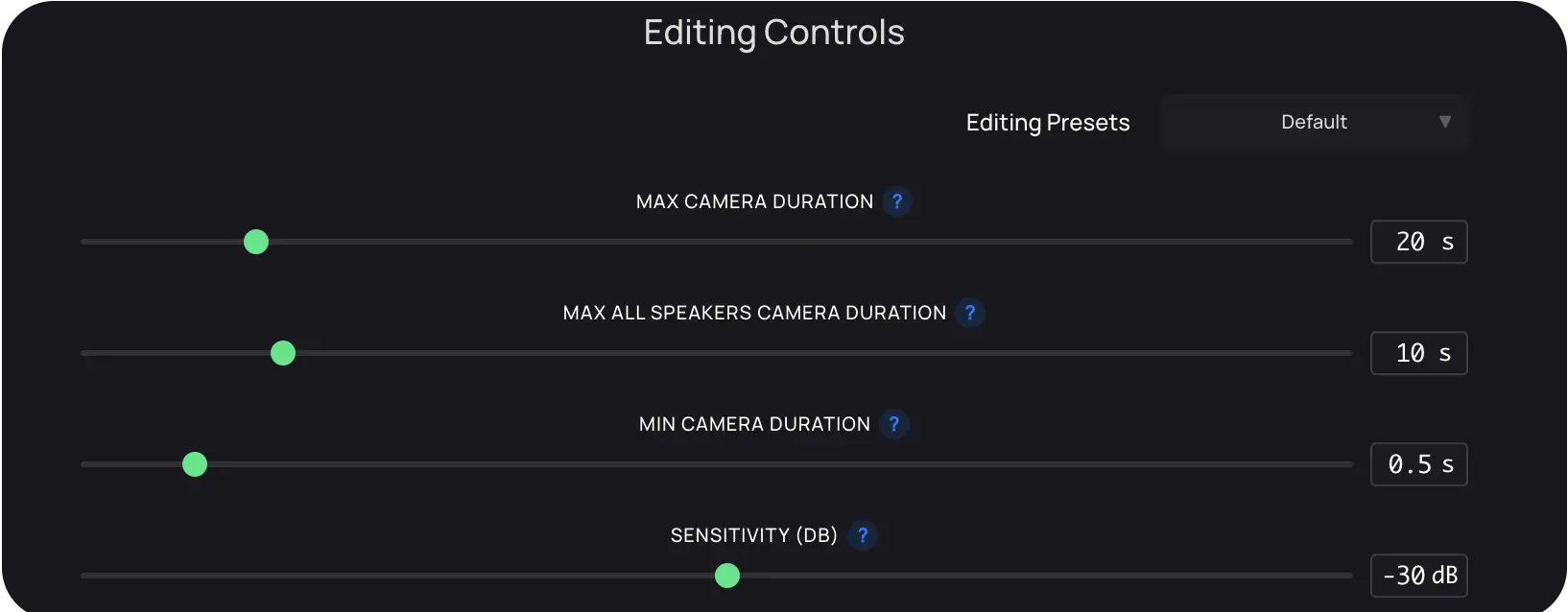
Variation = 0% Max Cam Duration = 20s → every clip is exactly 20s Variation = 50% Max Cam Duration = 20s → clips vary between 10s and 20s Variation = 100% Max Cam Duration = 20s → clips vary between 1s and 20s

⌛ Increased Max Duration Camera from 120s to 240s (Can be further increase, if no reported issues)

🌎 Fixed issue where if you're Premiere Pro UI Language wasn't english, Wraith hit's an error.

📷 Improved Camera Logic

How to update: Head over to your user dashboard and download the new version of Wraith Multi-Cam Editor!

Gemini 2.5 Pro Now Available - Phantom Plugin Update: v1.2.6

Version 1.2.6 Phantom Plugin

User Dashboard Download

TLDR:

  • Version 1.2.6 of Phantom Plugin Beta is out
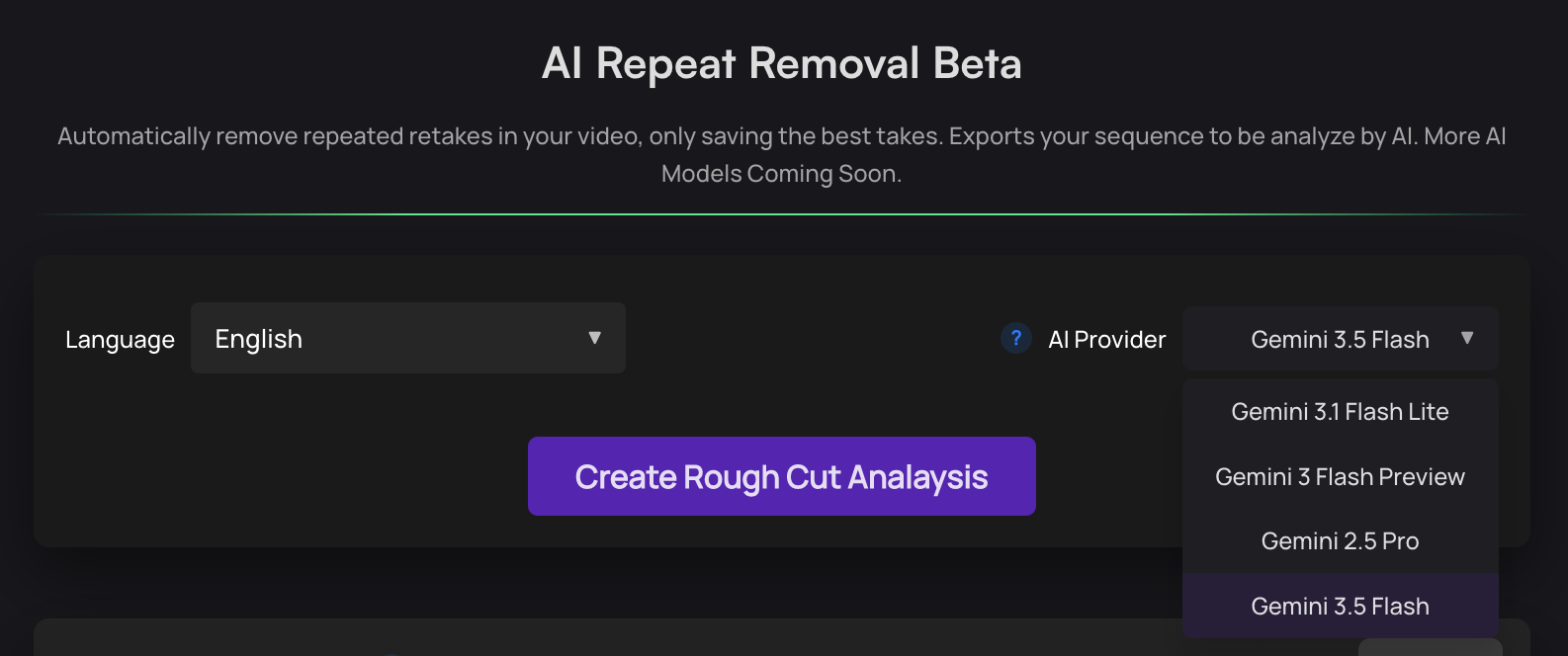
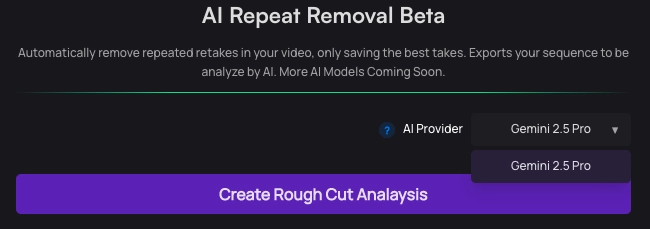
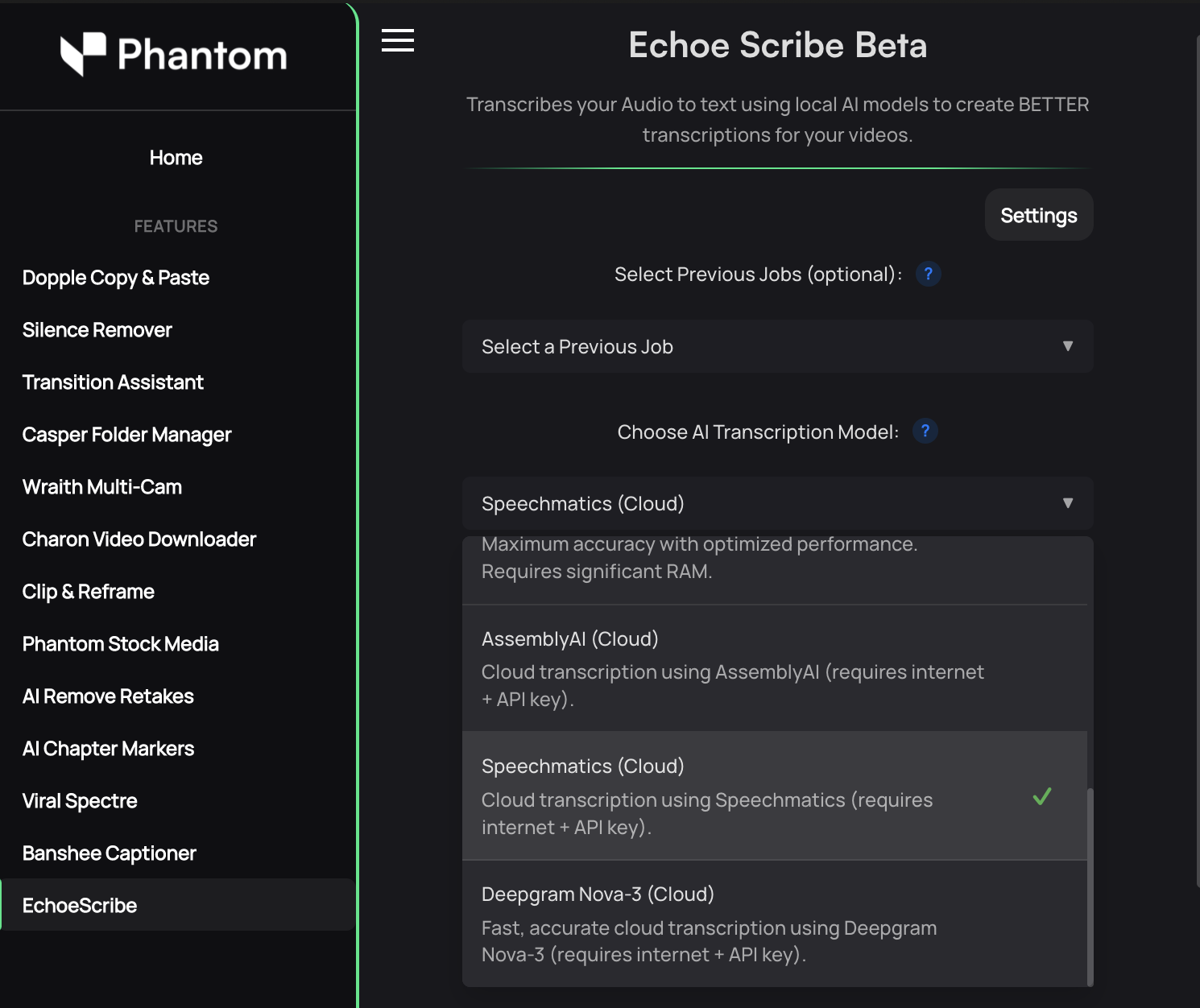
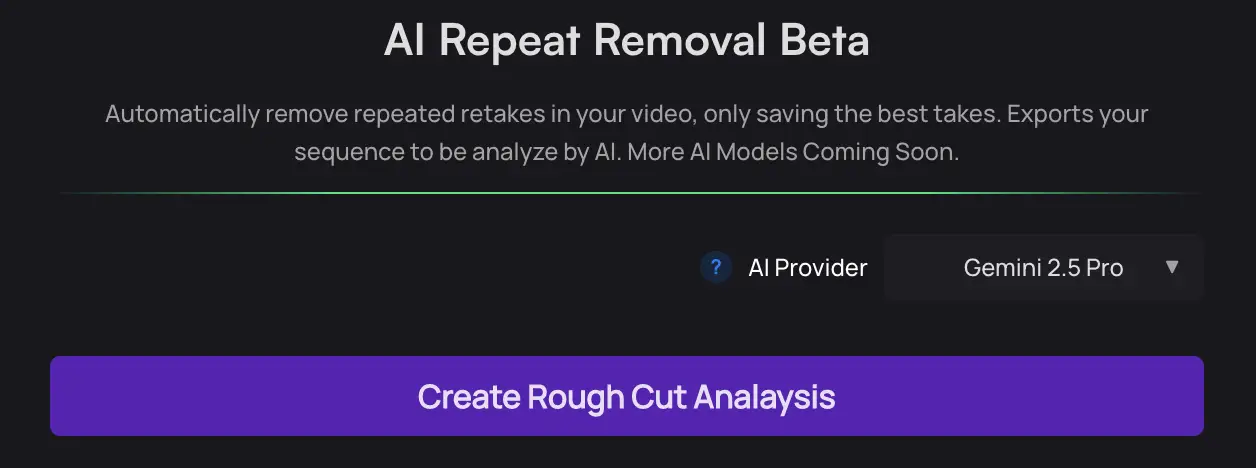
  • Version 1.2.6 Introduces Gemini 2.5 Pro in our 'AI Repeat Removal Tool' and 'Chapter Markers'
  • License Key Issue? Reset in your User Dashboard
  • Issues with MacOS with Intel Chips
  • Issue with One-Click Windows Installation and Fix

Phantom Plugin Version 1.2.6 with Gemini 2.5 Pro

User Dashboard Download

✅ What’s new:

We've updated Phantom Plugin to v1.2.6! Which you can now download and install from your user dashboard.

Use the one-click installation or ZXP methods to install and update

Updates: Introduces Gemini 2.5 Pro in "AI Repeat Removal" Tool and "AI Chapter Markers" Bug fixes

AI Provider Gemini 2.5

Wraith Multi-Cam Editor Update: v1.2.4

Version 1.2.4 Wraith Multi-Cam Editor

TLDR:

  • We've updated Wraith Multi-Cam Editor to version v1.2.4
  • Improved Camera selection algorithm model
  • Added 'Sensitivity (db)' Control
  • Changed extension name to 'Wraith Multi-Cam Editor' in dashboard
  • Generally Bug Fixes

Check out our video about it!

Improved Camera selection algorithm model

We’ve fixed an issue where the camera selection model at time's picked the wrong speaker. We're working towards a model where the accuracy is 99.9%.

✅ What’s new:

The model now identifies the correct speaker with higher accuracy. When multiple people speak simultaneously, it will automatically switch to the “All Speakers” camera (if available).

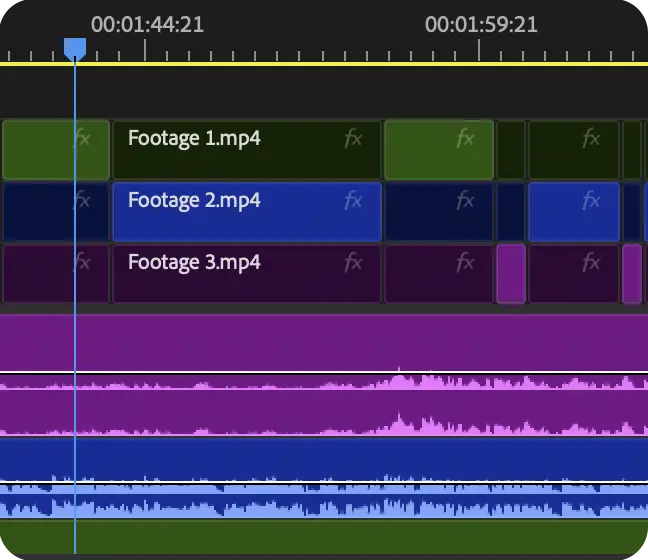
Wraith Timeline Demo

We've added a Sensitivity Control Slider

We know every multi-cam or podcast setup has different audio levels and environments. To give you more precise camera control, we’ve added a Sensitivity Control Slider — letting you fine-tune how responsive the detection is to your audio.

✅ What’s new:

Sensitivity Threshold Adjusts how the algorithm detects sound levels in your sequence.

High sensitivity (e.g. -40 dB): Reacts to even small audio changes, including quiet sounds. Great for podcast/multi camera setup that have low background noise

Low sensitivity (e.g. -20 dB): Ignores minor background noises, pops, and subtle variations. Great for podcast/multi camera setup that have high background noise.

Wraith Editing Controls

New Free Tool: Transition Assistant

New free tool to help editors apply, adjust, and remove transitions in Premiere Pro.

What is Transition Assisstant?

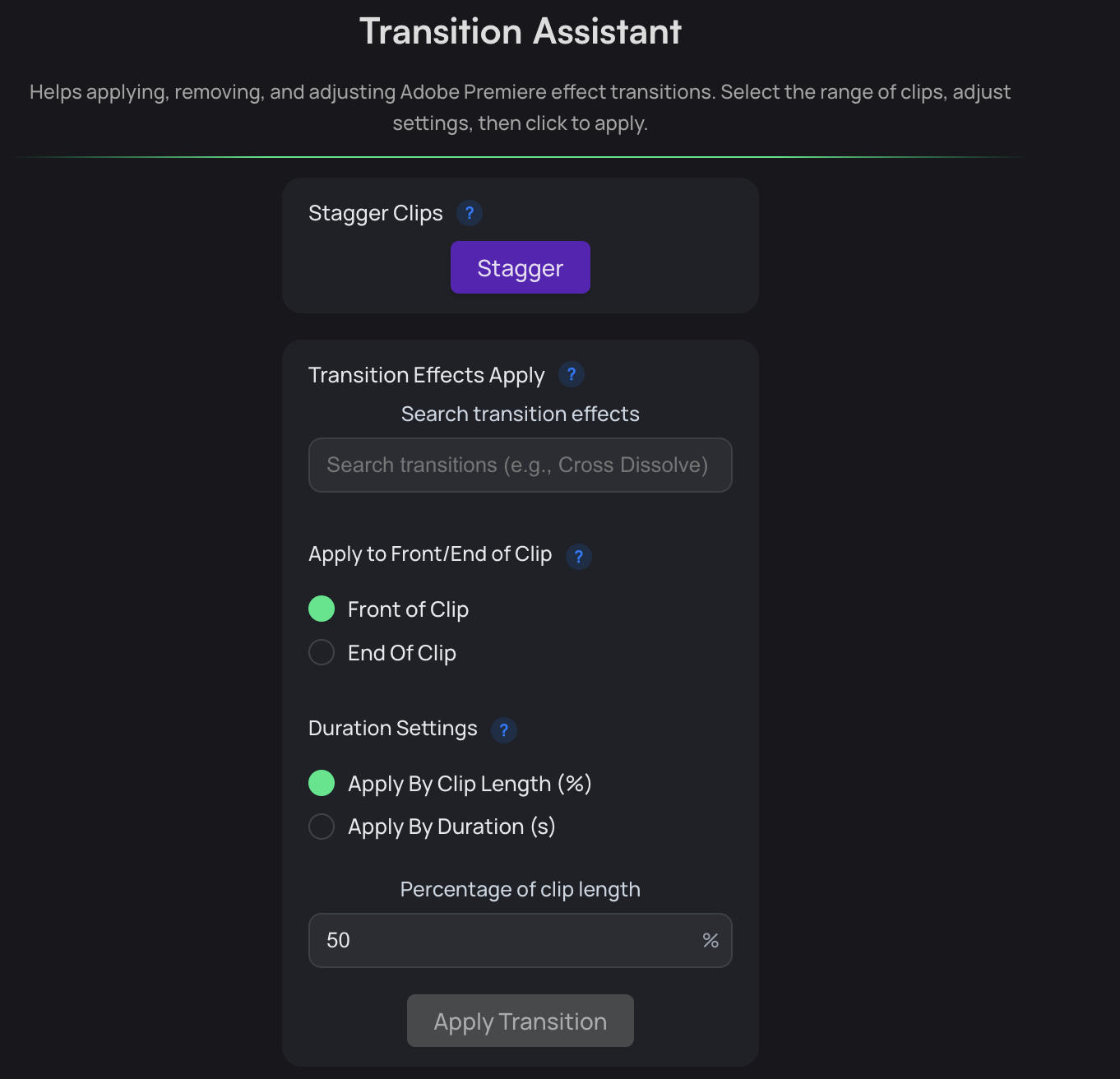
Transition Assistant is a free tool in the Phantom Plugin to help users apply, remove, and change transitions effects in Adobe Premiere at scale. This could be used to help editors create better captions/graphics using Premiere Pro’s default Transistions without the need to individually copy and paste effects one by one.

Check out our video about it!

Features

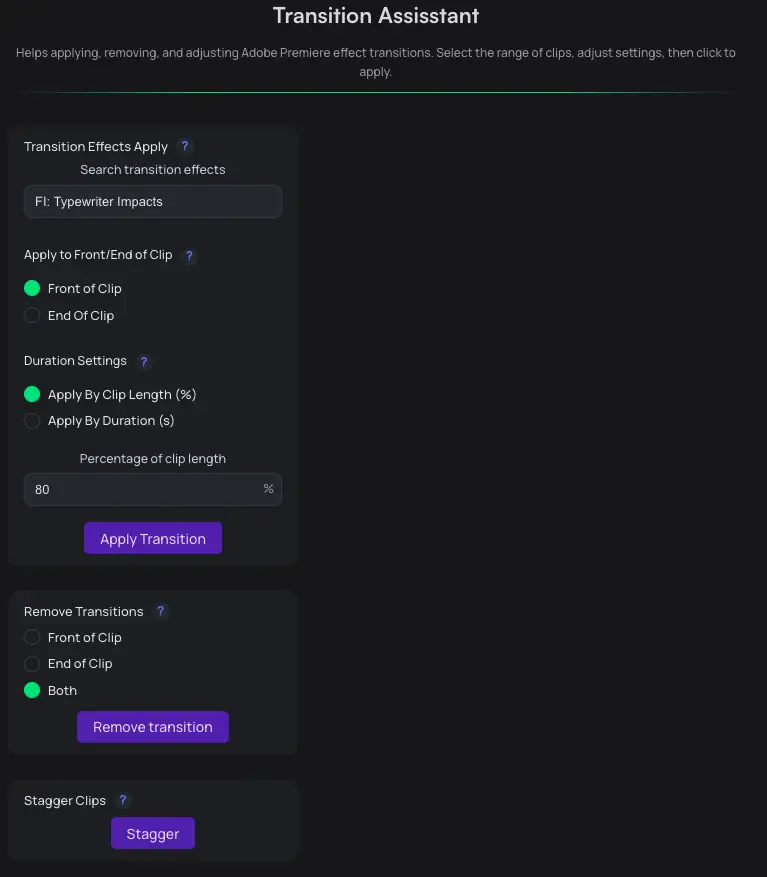
Transition Assistant Interface

Transition Effects Apply

Apply Premiere Pro default transitions effects to all selected clips. Choose between applying based on percentage of clip duration or by your preferred duration length.

Remove Transition

Does exactly what it says. Remove transitions of your selected clips. Have the removal options to choose between the front, end or on both sides of the clip.

Scatter Clips

The scatter function offsets every other clip selected by 1 track. This helps video editors have better control with transition effects in Premiere Pro in conjunction with our other tools.

Key Features Summary

  • Transition Effects Apply: Apply default transitions to all selected clips; choose percentage of clip duration or preferred duration.
  • Remove Transition: Remove transitions from selected clips; choose front, end, or both sides.
  • Scatter Clips: Offset every other selected clip by 1 track to aid transition control.

Where can I use the new tool?

Users who have the Phantom Plugin can immediately start using the tool in version v1.2.5 and above in the Phantom Plugin.

Introducing Updates Page

Introducing the new Updates & Changelog page for all things Phantom

Overview

We are introducing a dedicated Updates & Changelog page to keep you informed about:

  • New Phantom Editor features
  • Improvements to any of tools, website and more!

What’s next

  • Future updates will include detailed breakdowns of new tools, performance improvements, and bug fixes. All in one page
Phantom Editor Logo

Advanced video editing powered by artificial intelligence.

© 2025 Phantom Editor. All rights reserved.