
Gemini 2.5 Pro Now Available - Phantom Plugin Update: v1.2.6
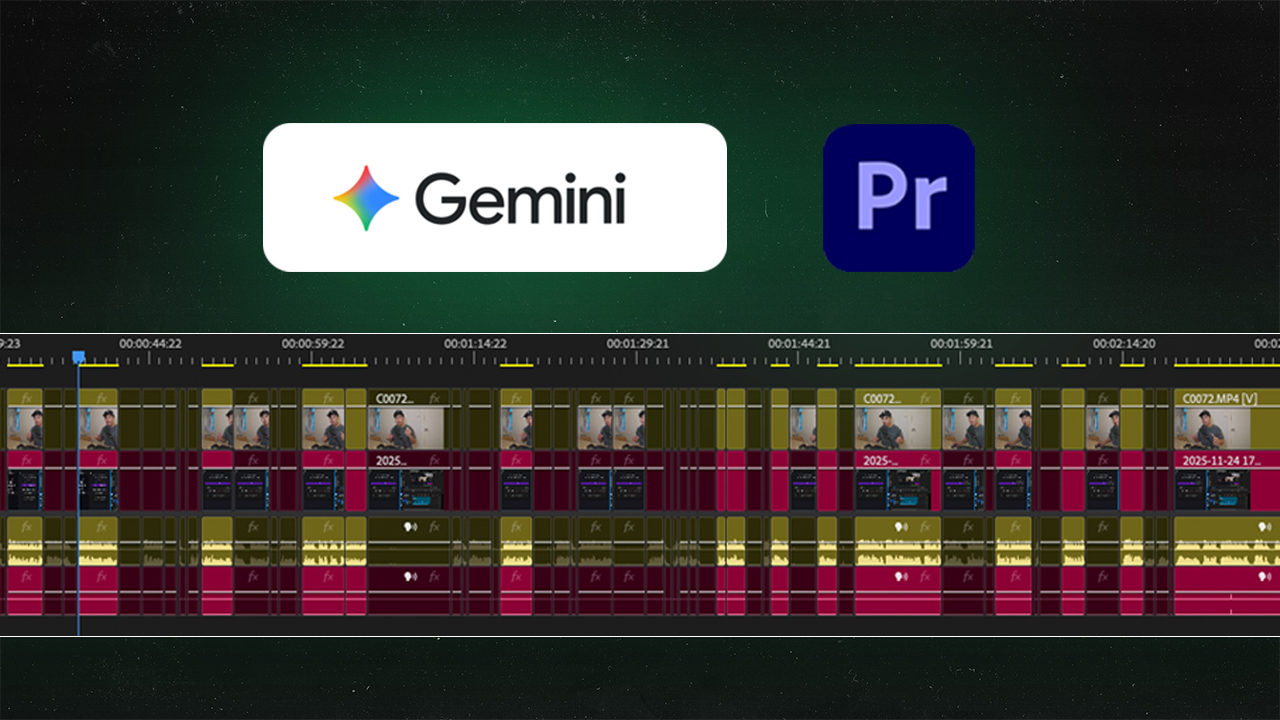
TLDR:
- Version 1.2.6 of Phantom Plugin Beta is out
- Version 1.2.6 Introduces Gemini 2.5 Pro in our 'AI Remove Retakes' Tool and 'Chapter Markers'
Phantom Plugin Version 1.2.6 with Gemini 2.5 Pro

✅ What's new:
In Phantom Plugin v1.2.6, we've updated our AI Repeat Removal Tool and Chapter Markers to include Gemini 2.5 Pro.
What is the AI Remove Retakes Tool in Phantom Plugin?
The AI Remove Retakes tool in the Phantom Plugin is a powerful, AI-driven solution that uses Gemini 2.5 Pro technology to automatically remove repeats, false starts, filler words, and other unwanted sections in your video. Perfect for talking head videos, interviews, and content creation, this tool significantly speeds up your editing workflow by intelligently identifying and eliminating unnecessary content.
Key Features of Phantom Plugins AI Remove Retakes
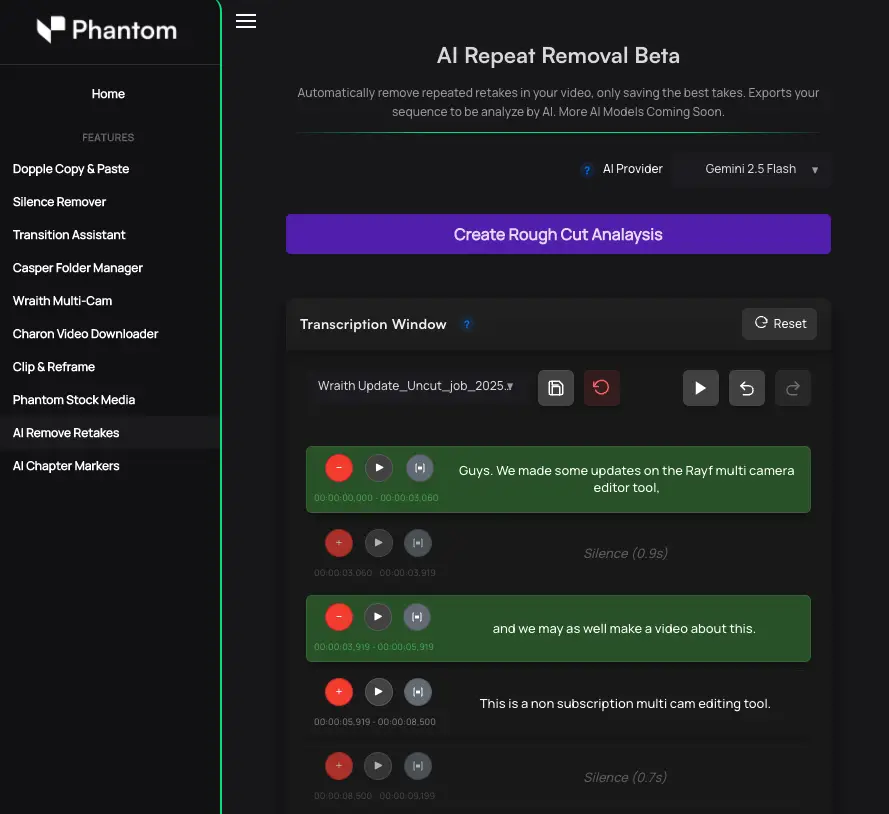
1. Dual AI Model Selection
With Phantom Plugin v1.2.6, you now have flexibility in choosing your AI model:
- Gemini 2.5 Pro: More accurate analysis for professional-grade results. Best for detailed editing where precision matters.
- Gemini 2.5 Flash: Faster processing with good accuracy. Ideal for quick turnarounds and batch editing.
2. Intelligent Analysis & Selection
The Gemini 2.5 Pro model analyzes your video sequence and automatically highlights:
- Green sections: Content to keep
- Red sections: Content to remove (repeats, false starts, mistakes, silences)
You maintain full control and can manually adjust these selections in real-time to ensure only the best content remains.
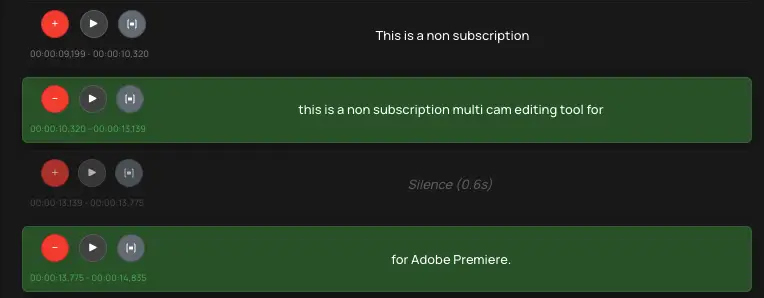
3. Precise Minute Adjustments
Fine-tune your edits down to the frame level. The transcription window lets you make precise adjustments to the in and out points of word containers, ensuring your cuts are tight and professional.
4. Smart Word Container Splitting
Easily remove specific words, lines, or phrases using keyboard shortcuts (Shift+Ctrl+K). This granular control allows you to preserve important content while removing only the unwanted bits.
5. Multiple Cutting Styles
Phantom Plugin offers various cutting approaches to fit your workflow:
- Create Rough Cut: Automatically removes all unwanted sections in one pass
- Apply Cuts & Disable Clips: Makes cuts while disabling sections for later review
- Apply Frame Cuts Only: Applies cuts without removing sections
- Remove Disabled Clips: Cleans up previously disabled clips from your sequence

6. Preview & Play Sample
Listen to your selections before applying cuts. The "play sample" button lets you preview exactly how your edited video will sound without committing to changes.
7. Save Your Progress
Changes can be saved at any time, giving you peace of mind and the flexibility to continue editing later.
What Video Types Work Best with AI Remove Retakes?
The Gemini 2.5 Pro AI Remove Retakes tool is specifically optimized for:
- Talking head videos - Interviews, vlogs, podcast-style content
- Tutorial and educational content - Courses, how-to videos
- Conference and presentation recordings - Remove stutters and pauses
- Social media content - TikToks, YouTube shorts, Instagram Reels
Note: Currently available in English only, with multi-language support coming in future updates.
How to Download and Use the AI Remove Retakes Tool
Getting Started:
- Create an Account - Sign up for Phantom Editor at our website
- Subscribe to Phantom Pro - Visit our pricing page to choose the plan that fits your editing needs
- Download from Dashboard - Access your user dashboard and download the latest plugin (v1.2.6 or newer)
- Install - Use one-click installation or manual ZXP installation method
- Access the Tool - Click on "AI Remove Retakes" in the Phantom Plugin toolbar in Premiere Pro
Installation Methods:
- One-Click Installation - Fastest and easiest method for automatic setup
- ZXP Installation - Manual method for advanced users and system administrators
Why Choose Gemini 2.5 Pro for AI Remove Retakes?
Gemini 2.5 Pro delivers superior accuracy compared to previous AI models, helping you:
- Save hours of manual editing time
- Remove unwanted content with 99.9% accuracy (our goal)
- Maintain creative control with manual adjustments
- Speed up your editing workflow significantly
- Produce professional-quality content faster
Limitations & Future Roadmap
The AI Remove Retakes tool is a beta feature that continues to improve:
- Currently optimized for talking head videos (not for weddings, full podcasts, or highly complex multi-track sequences)
- English-language only at launch
- Continuous improvements being made to accuracy and functionality
Our team is committed to expanding language support and enhancing the tool's capabilities based on user feedback.
Ready to Edit Faster with Gemini 2.5 Pro?
Upgrade to Phantom Plugin v1.2.6 today and experience the power of Gemini 2.5 Pro AI technology. Whether you're a content creator, video editor, or production company, the AI Remove Retakes tool can transform how you edit video content.
Start your journey:
- Subscribe to Phantom Pro - View our pricing plans and subscribe
- Download from Dashboard - Access v1.2.6 and install the plugin
Start editing smarter, not harder with Gemini 2.5 Pro! 🚀