
Troubleshooting
Resetting License Session
Manage your active devices and reset stuck sessions if you're switching computers.
"Too Many Devices" Error?
Each license allows for activation on up to 1 devices simultaneously. If you try to activate on a second device, or if a previous session wasn't closed properly, you may need to reset your sessions.
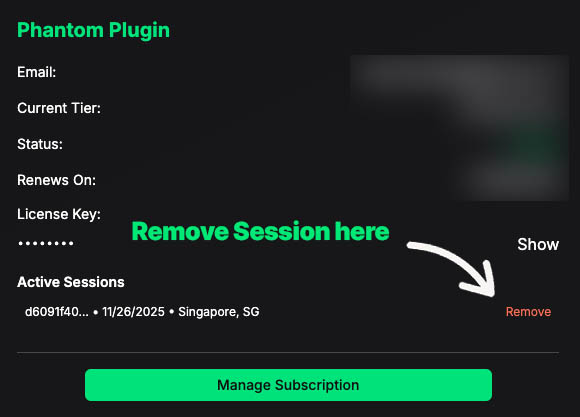
How to Reset Sessions
- Log in to your Account Dashboard.
- Find the product license you wish to manage.
- Click the "Remove Sessions"
- Wait 5 seconds, then try activating on your new device again.
Still having trouble?
If resetting doesn't work, contact support for a manual override.
