Maintenance
Updating Plugin
Stay up to date with the latest features and bug fixes. Here is how to update your Phantom Editor extension.
We regularly release updates to improve performance and add new AI capabilities. Updating is a simple process.
1. Download Latest Version
Go to your Account Dashboard and scroll to the bottom to download the latest update.
2. Install New Version
Drag and drop the new .zxp file into the ZXP Installer. Restart Premiere Pro to apply changes.
3. Reset License if Needed
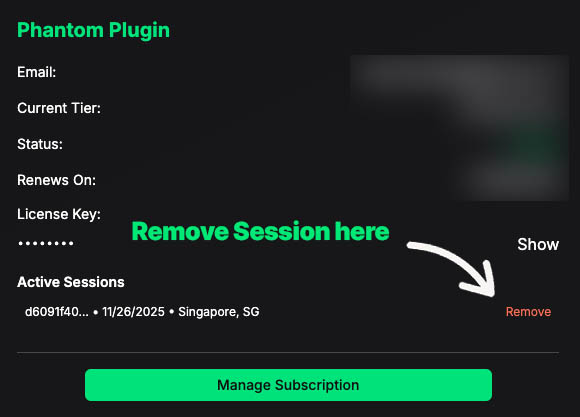
If you have issues with your license you can reset your license in your User Dashboard. Click here to learn more.